

Support

Need a hand with WholeScene?

Find answers for joining events, contributing photos, organiser options and app or event issues.

Family members helping one another capture a shared gathering
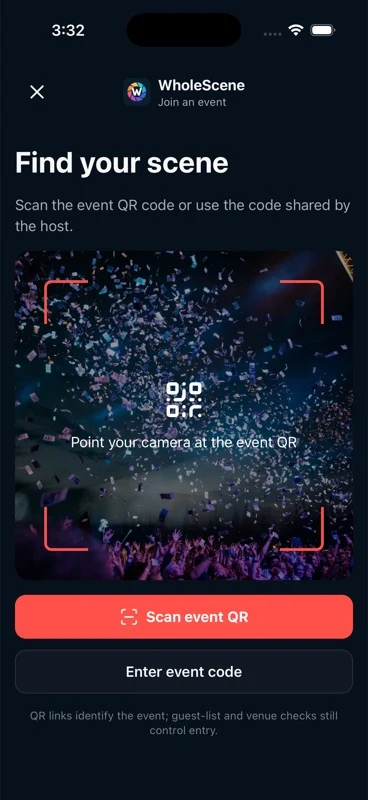
WholeScene event join preview
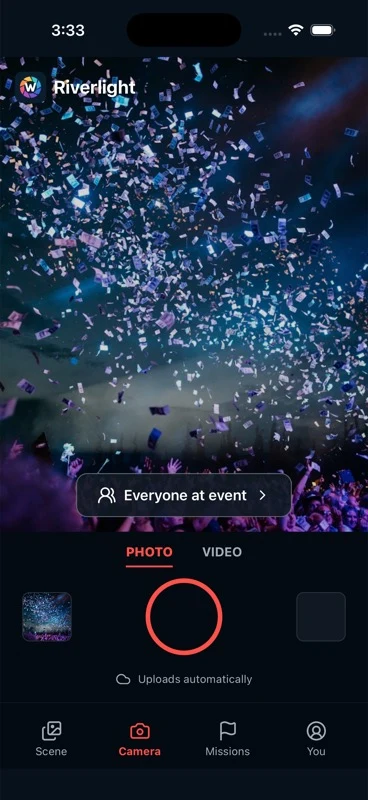
WholeScene camera preview

WholeScene support is organised around the two people using the event.

Guests need a clear way into the scene. Organisers need a clear view of the event around it.

01 — Guest access

Joining an Event

Use the invitation or scan the event QR code to find the correct scene. Organiser settings and available verification signals may then guide access.

  • Scanning the event QR code
  • Joining from an invitation
  • Finding the correct event
  • Guest access questions
  • Location permission and confidence signals

02 — Contribution

Capturing and Uploading

Camera and photo permissions let the app capture or select photographs. Network conditions can affect how quickly a contribution reaches the event.

  • Camera permissions
  • Contributing photos
  • Selecting photos from the camera roll
  • Understanding upload status
  • Connection and retry questions

03 — Audience

Privacy and Audience

Supported events can distinguish between event-visible and organiser-only contributions. Available access and audience controls are shown in the app.

  • Event-visible content
  • Organiser-only submissions
  • Who can access the event
  • Questions about removing content
  • Organiser-managed visibility settings

04 — Event control

Organiser Help

Organisers create the event, guide guest access and work from the collected event library. Available organiser options depend on the event package.

  • Creating an event
  • Guest access settings
  • Audience settings
  • Reviewing the event library
  • Available organiser actions

05 — App help

App and Account Help

Start with app permissions, connectivity and the account details visible in the app.

  • Sign-in and account details
  • Camera, photo and location permissions
  • Notification settings
  • App troubleshooting
  • Common app issues

Top questions.

Quick answers for guests and organisers.

How do I join an event?

Open the invitation provided by the organiser or scan the event QR code. Follow the available access steps to enter the correct event.

Why can't I access an event?

Check that you have the correct invitation or QR code and that required app permissions are available. Organiser-managed access or event settings may also affect entry.

Do I need to pay?

No. Guests can download, join and contribute free. Organisers choose the event package.

Can I contribute privately to the organiser?

The experience is designed to support organiser-only contributions alongside event-visible content, subject to the event configuration.

What happens if my connection drops?

Network conditions can affect transfer timing. Keep original photos until a contribution is confirmed.

How does location access work?

Where configured, location can provide an additional confidence signal that a device is near the event. It is not presented as absolute proof of attendance or identity.

How do organisers get their event photos?

Contributed photos gather in the event library for the organiser to review.

Contact support

Still need help?

WholeScene support will be available ahead of launch.

Contact details will be published here.